
Vocal removal
One click and you have a clean instrumental. Good for karaoke night, covers and practice tracks.
Turn any track into a clean instrumental, or split it into vocals, drums, bass, piano and more. A free Windows app that runs on your PC. Nothing is uploaded, and you don't need Python, ffmpeg or any setup.
The settings stay hidden until you want them. Beginners get one big button, and power users get every control under Advanced options.
One click and you have a clean instrumental. Good for karaoke night, covers and practice tracks.
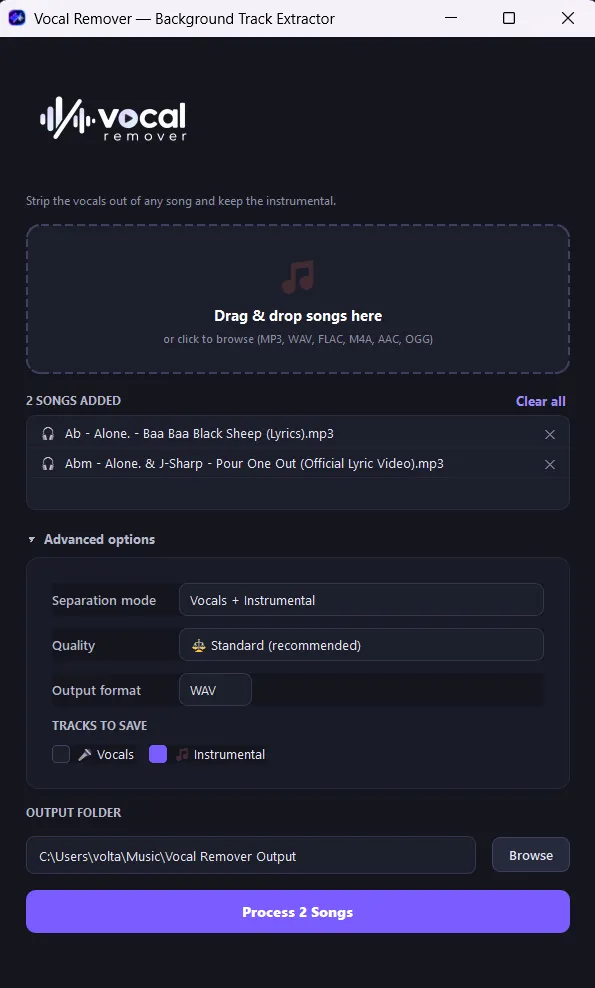
Split into 2, 4 or 5 stems: vocals, drums, bass, piano and everything else.
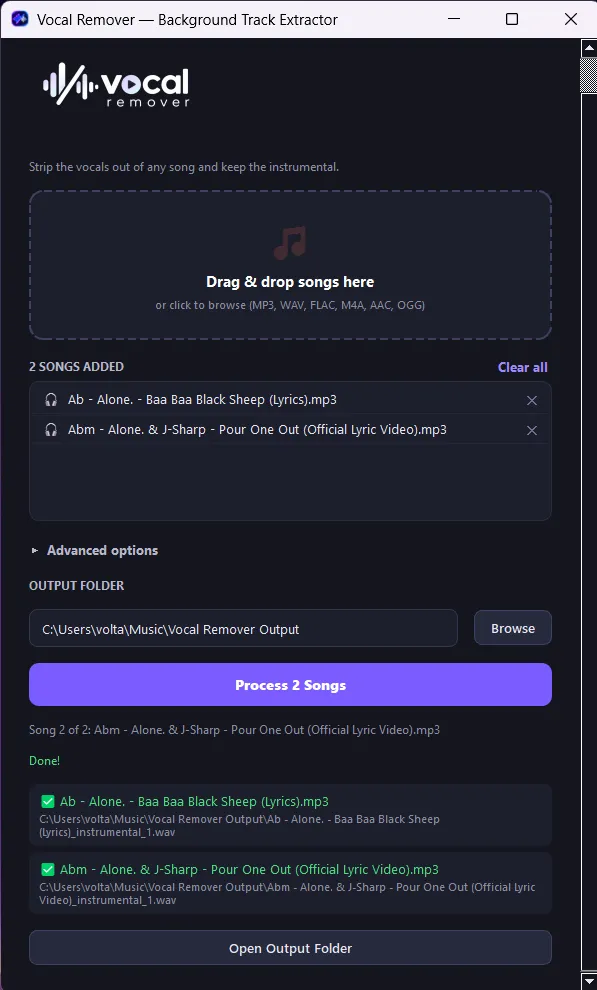
Queue a whole album and leave it running. Each song runs in its own process, so if one crashes the rest still finish.
Fast preview, Standard or Best quality. Two engine settings combined into one simple choice.
Export WAV, FLAC or MP3 (128–320 kbps). Imports MP3, WAV, FLAC, M4A, AAC, OGG and WMA.
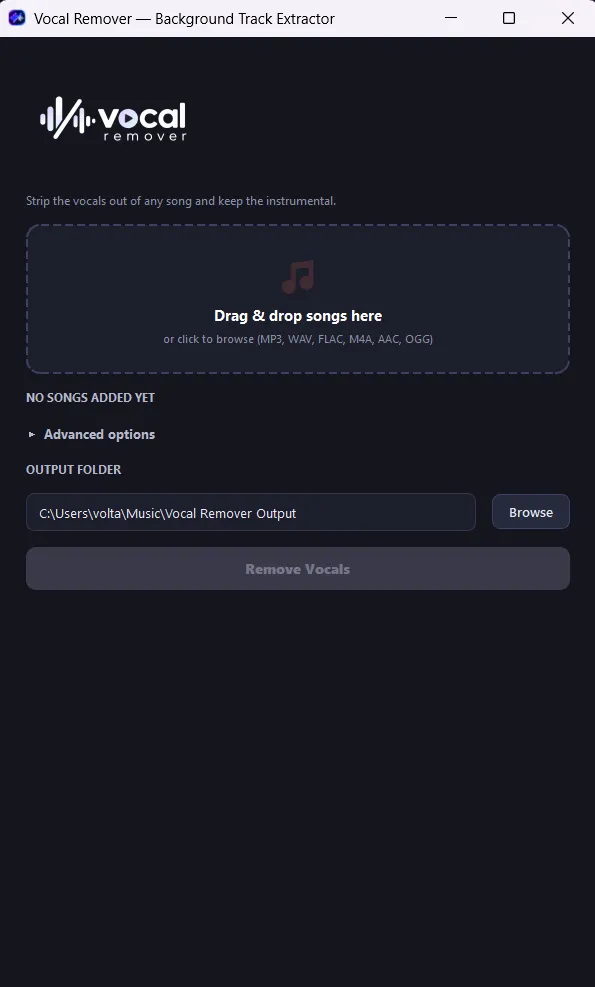
No command line or setup. Drop songs in, choose an output folder and press go.
Paste a video or playlist link to send its audio straight into the queue, or just save the video or audio.
Each AI model downloads once, the first time you use its mode. After that it works with no internet.
Drag songs onto the window, click to browse, or paste a YouTube link.
Keep the defaults for a quick instrumental, or open Advanced options for stems, quality and format.
Your stems are saved to the output folder, one ✅ per song as each one finishes.
Pick how many stems you want, then choose which ones to save. It works like the "Tracks to save" checkboxes in the app, so try it below.
You don't need the file first. Paste a YouTube video or playlist link and Vocal Remover pulls the audio straight into the separation queue.
Add a video or a whole playlist to the batch. Every track is downloaded, then separated.
Just want the file? Save audio as MP3, WAV, FLAC or M4A, or video in High, 720p or 480p.
The downloader engine updates itself in the background, so you won't need a new app version when YouTube changes something. Please only download content you have the rights to.
One window: drop zone, queue, a collapsible Advanced panel and a big button.
The app does its AI work on your own machine. A lightweight UI process hands each song to an isolated worker that loads the model, separates the song, reports progress and exits.
Separation runs locally on your CPU. No uploads, no accounts, no cloud queue and no per-song fees.
Every song runs in its own fresh worker process. If one file runs out of memory, the rest of the album still finishes.
Deezer's open-source separation engine, built on TensorFlow, does the actual splitting.
The installer bundles Python, TensorFlow and ffmpeg, and installs per-user with no admin prompt.
# UI process spawns one isolated worker per song
$ VocalRemover.exe --worker-job job-02.json

JOBEVENT {"event": "status", "text": "Loading 5stems model..."}
JOBEVENT {"event": "status", "text": "Separating song.mp3..."}
JOBEVENT {"event": "file_done", "outputs": [
           "song_drums.wav", "song_bass.wav",
           "song_piano.wav", "song_other.wav"]}
✓ worker exited cleanly → next song

# model cached at %LOCALAPPDATA%\VocalRemover
# network: none
Free for Windows 10 and 11. Installs in a few clicks, with no admin rights needed.
Questions, bug reports, feature ideas, collaborations, or a project you'd like built? I'm Volta Jebaprashanth, the developer behind Vocal Remover. Reach out any way you like.
Star the project on GitHub